
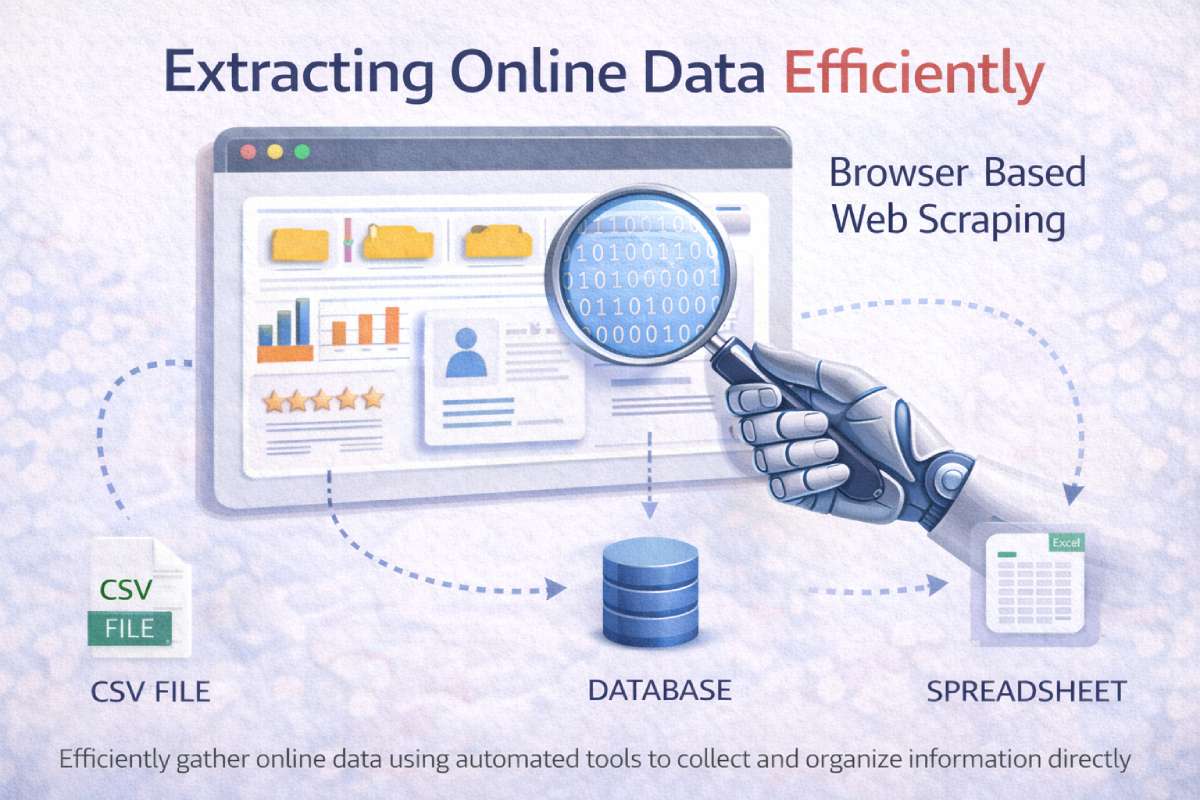
Extracting Online Data – Access to reliable web data has become essential across industries — from competitive pricing intelligence to market research and content monitoring. Traditional scraping that parses raw HTML often fails on modern websites because many pages are built and populated dynamically with JavaScript. Browser-based scraping fixes that by loading and interacting with pages exactly like a human visitor, capturing the DOM after scripts run and interactions occur. This approach captures fuller, more accurate datasets from complex pages and interactive apps.
Extracting Online Data Efficien…
Below is a practical, step-by-step guide to help you implement browser-based scraping responsibly and efficiently.
Table of Contents
Why use browser-based scraping?
- Renders dynamic content. Some pages only show key data after JavaScript has executed (e.g., infinite scroll, lazy load, client-side rendering). Browser scrapers run the same code the browser would, ensuring you capture post-render content.
- Simulates real user interactions. Actions like scrolling, clicking “load more,” or selecting dropdowns are easily automated, so you can capture paginated or interactive content.
- Improved accuracy and fidelity. Because you collect the final page as seen by users, results reflect the user experience — useful for monitoring pricing, ads, or UI changes.
Common use cases
- Price monitoring on e-commerce sites that use dynamic pricing widgets
- Gathering product details that appear only after interaction (size, color, variants)
- Social media post scraping where content loads on scroll
- Market research and SERP monitoring where results are rendered client-side
Core workflow: from idea to clean dataset
- Define the data target. Identify specific fields (titles, prices, images, timestamps). Smaller, precise schemas reduce errors.
- Inspect the human flow. Manually interact with the page to find how content loads — note clicks, scrolls, network calls, and XHR/Fetch requests.
- Choose the right tool. Decide between headless browsers (Puppeteer/Playwright), managed services (ScrapingBee, Browserless), or low-code platforms for less technical teams.
- Implement interaction steps. Script scrolls, clicks, and waits (explicit wait for selectors rather than fixed sleep).
- Extract and normalize. Pull the rendered DOM values, clean strings, and normalize data types (dates, prices).
- Store & monitor. Save results in structured storage (CSV, database) and add monitoring/alerts for changes or failures.
- Respect limits. Add rate-limits, random delays, and caching to avoid hammering the target site.
Tools & approaches
- Puppeteer (Node.js) and Playwright — programmatic control of Chromium/Firefox/WebKit; full support for complex flows.
- Selenium — long-standing browser automation framework with multi-language bindings.
- Managed browser-scraping services — companies that run the browser fleet and abstract scaling (useful if you don’t want to manage infrastructure).
- No-code/low-code platforms — for teams that need a UI to configure scraping jobs without writing a lot of code.
Tip: Use headless mode for speed, but switch to headed mode for debugging when an element fails to load.
Practical patterns & examples
a) Handling infinite scroll
- Scroll programmatically until no new content appears (check total item count).
- Use a small randomized delay between scrolls to mimic human behavior.
- Wait for a visible “new item” selector rather than a fixed timeout.
b) Clicking “Load more”
- Detect the “Load more” button selector.
- Click, then wait for the next batch of items to appear.
- Repeat until the button is absent or disabled.
c) Extracting data behind modals/forms
- Open the modal with a scripted click.
- Fill required fields only if permitted; prefer to collect publicly visible data.
- Close the modal after extraction.
Data accuracy: network vs. DOM extraction
Whenever possible, prefer API/network responses (XHR/Fetch) observed during manual inspection. They often contain structured JSON which is easier and more reliable to parse than the rendered DOM. But when APIs are unavailable or throttled, DOM extraction with browser rendering is the fallback that yields what end users see.
Scaling & reliability
- Concurrency and parallelism: Spawn multiple browser instances for faster crawling, but throttle to avoid overwhelming targets.
- Rotating IPs & user agents: Use IP rotation and realistic user agents to reduce blocks — but combine with respectful request rates.
- Error handling & retries: Implement robust detection for captchas, 5xx responses, and missing selectors. Backoff and retry logic improve success rates.
- Headless vs headed: Headless is quicker, headed helps debug rendering bugs. Tools like Playwright can run in either mode.
Ethics, robots.txt & legal basics
Automated data collection should always be responsible:
- Check robots.txt and site terms — they indicate rules for automated access, though robots.txt alone isn’t legally binding in some jurisdictions.
- Respect rate limits & performance — avoid making your scraper a denial-of-service risk for the site.
- Avoid scraping personal/PII without permission — user privacy regulations like GDPR or CCPA may restrict processing personal data.
- Honor takedown requests — if a site asks you to stop, comply and document the communication.
The uploaded guidance stresses this responsibility and emphasizes that ethical practices keep your scraping safe and sustainable.
Extracting Online Data Efficien…
Monitoring & maintenance
- Selectors drift: Pages change. Maintain a set of fallback selectors and a monitoring dashboard to alert when extraction patterns break.
- Automated tests: Create small smoke tests that run before full jobs — confirm selectors exist and pages load as expected.
- Versioning & changelogs: Track scraper versions and note changes in site structure to speed up remediation.
Common pitfalls & how to avoid them
- Hard-coded sleeps: Replace with waits for element visibility to avoid brittle scripts.
- Scraping too fast: Use exponential backoff and randomized delays.
- Ignoring bot detection: Modern sites use behavioral detection; human-like timing and realistic header fingerprints reduce blocks.
- Storing raw HTML only: Normalize and validate extracted fields to prevent downstream analytic errors.
When to use managed services vs. DIY
- Managed services are best when you need quick time-to-value, easy scaling, and less ops overhead. They reduce maintenance but cost more.
- DIY (Puppeteer/Playwright/Selenium) is ideal for highly customized scraping and lower per-unit costs if you can handle infra and anti-bot mitigation.
Final checklist before you run a job
- Confirm permitted scope (robots.txt / ToS).
- Test interaction flow manually.
- Script human-like waits and small randomized delays.
- Add error detection and alerting.
- Log raw and normalized outputs for auditing.
- Respect site load and privacy rules.
Conclusion
Browser-based scraping is the practical answer to reliably capture data from today’s JavaScript-driven web. It reproduces the human browsing experience, enabling you to extract interactive, dynamically loaded content with high fidelity. When implemented with robust waits, ethical rate limiting, monitoring, and respect for websites’ policies, it becomes a powerful, accurate way to fuel analytics, product intelligence, and research initiatives. The uploaded summary provides a concise rationale for this approach and is an excellent basis for teams getting started with the technique.