


How to Download Spotify Music to MP3 Easily and Safely in 2026
Spotify has completely changed the way we listen to music. With millions of songs, podcasts, and playlists available at your fingertips, it’s no surprise that Spotify is the go-to music streaming platform for users worldwide. But there’s one question people keep asking:
“How can you download Spotify music to MP3?”
If you’ve ever wanted to keep your favorite Spotify songs forever, listen offline without restrictions, or play Spotify music on any device, you’re not alone. In this guide, we’ll explain why downloading Spotify to MP3 is so popular, what limitations Spotify has, and how ViWizard Spotify Music Converter makes the process incredibly simple.
Table of Contents
Why Do People Want to Download Spotify Music to MP3?
Spotify Premium allows offline listening, but it comes with strings attached:
- Downloaded songs are not real MP3 files
- Music can only be played inside the Spotify app
- Downloads disappear if your subscription ends
- Songs cannot be transferred to MP3 players, USB drives, or car stereos
That’s why many users look for ways to convert Spotify music to MP3. MP3 files are flexible, permanent, and compatible with almost every device, including phones, computers, smart TVs, car systems, and portable music players.
Can You Download Spotify Music Directly to MP3?
Short answer: No, Spotify doesn’t allow it.Best Downloader of Spotify
Spotify uses DRM (Digital Rights Management) protection to encrypt its music. Even if you download songs with a Premium account, they remain locked within the Spotify ecosystem.
That’s where a Spotify to MP3 converter comes in, for example: ViWizard Spotify Music Converter.
Best Downloader of Spotify: ViWizard Spotify Music Converter
If you’re looking for a reliable, beginner-friendly tool, ViWizard Spotify Music Converter is one of the best options available today.
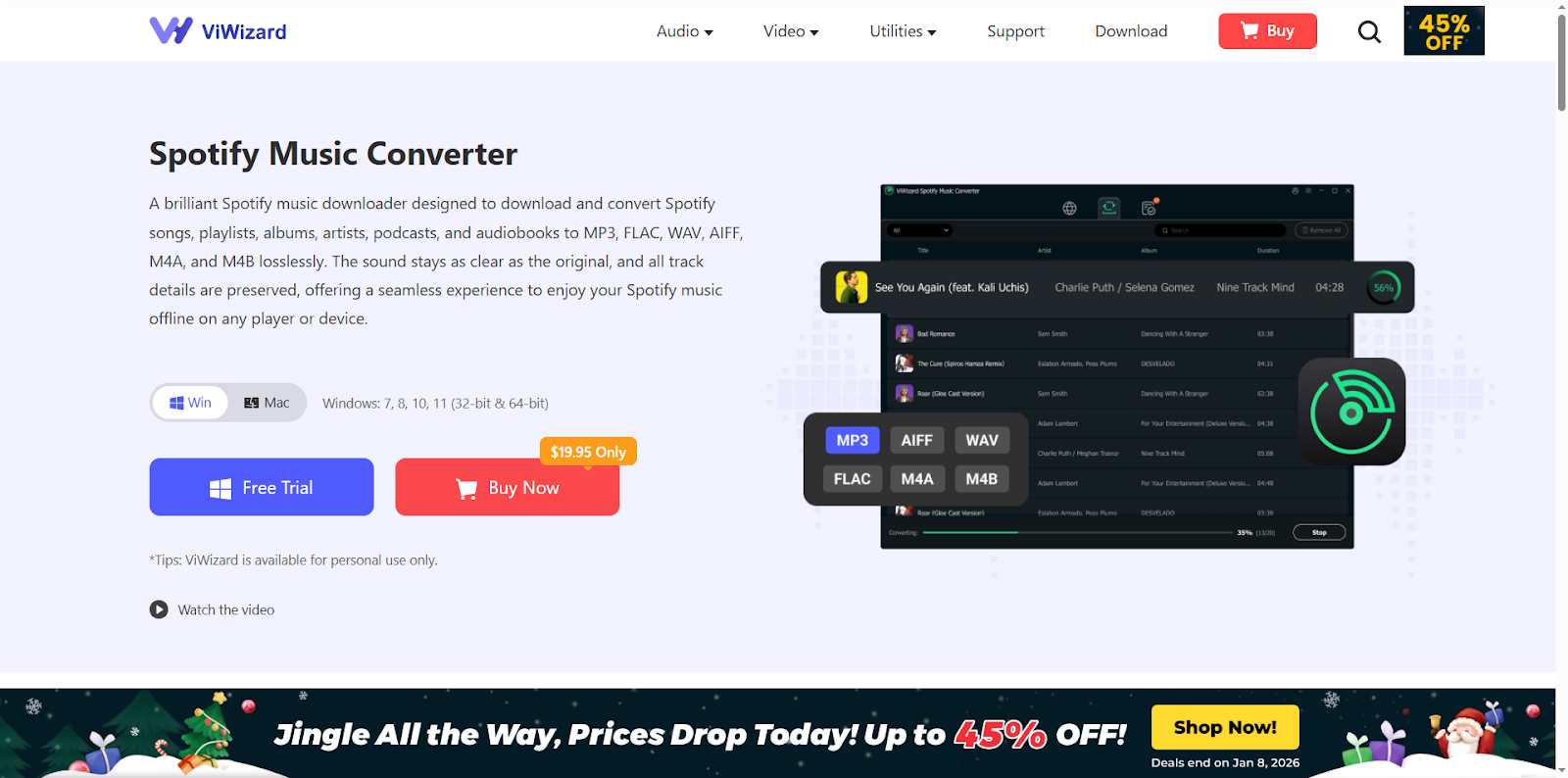
It’s designed specifically to help users download Spotify music to MP3 while maintaining high audio quality and full metadata. With ViWizard, you can enjoy:
- Convert Spotify songs, albums, playlists, and podcasts
- Output formats: MP3, FLAC, WAV, AIFF, M4A
- Preserve original audio quality (up to 320kbps)
- Keep ID3 tags (artist, album, cover art, title)
- Convert Spotify music without the Spotify app
- Fast conversion speed (15 times) and batch downloads
- Compatible with Windows and macOS
Whether you’re a casual listener or a music collector, ViWizard makes Spotify downloads effortless.
How to Download Spotify Music to MP3 with ViWizard (Step-by-Step)
ViWizard is very user-friendly for anyone who wants to download music from Spotify. Here’s how easy it is to get started:
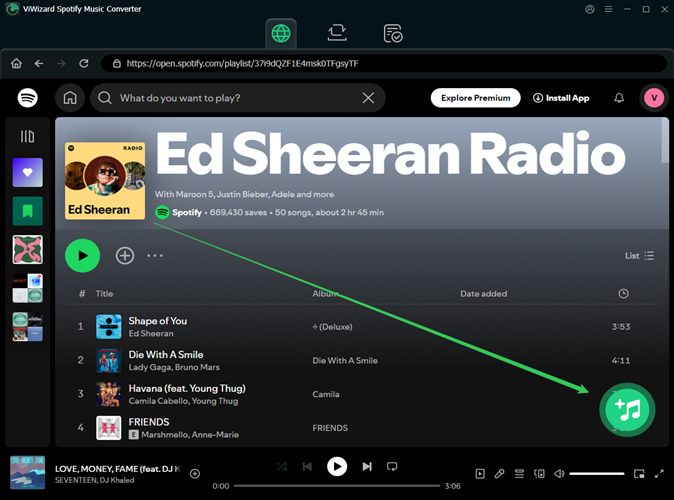
Step 1: Install ViWizard Spotify Music Converter
Download and install ViWizard on your Windows or Mac computer. The interface is clean and intuitive, even for first-time users.
Step 2: Open Spotify Web Player and Log in
ViWizard has a built-in Spotify web player. Simply log in to your Spotify account (Free or Premium).
Step 3: Add Spotify Music
Browse Spotify and drag your favorite songs, playlists, or albums directly into the button + of ViWizard to add them to the list of conversion.
Step 4: Choose MP3 as Output Format
This is where ViWizard truly shines. Before converting, click on settings. Here, you can choose:
- Output Format: Select MP3—the universal, compatible king of audio formats.
- Quality: Choose your desired bitrate. Want small file sizes? Go for 128kbps. Want crystal-clear, high-fidelity sound? Crank it up to 320kbps. The choice is yours!
- Organization: Tell ViWizard to sort your files by artist, album, or playlist automatically. Neat and tidy!
Step 5: Convert Spotify to MP3
Click the Convert button and let ViWizard do the rest. In just minutes, your Spotify music will be saved as MP3 files on your computer.
Step 6: Enjoy Your Music Freedom
Once finished, your brand-new MP3 files are ready! Find them in your designated output folder. Now, you can transfer them to your phone, burn a CD, or load them onto any device you own. Freedom achieved!
Why Choose ViWizard Spotify Music Converter? The Spellbook Advantages!
You might wonder, “Aren’t there other tools?” Sure, but ViWizard stands out from the cauldron for fantastic reasons:
Lossless Quality Magic: It converts songs while keeping the original sound quality intact. Your MP3s will sound just as amazing as the streams.
Super-Speed Charm: Convert entire albums or playlists in batches, saving you hours of time.
User-Friendly Enchantment: Its clean, simple design means no tech expertise is required. If you can use Spotify, you can use ViWizard.
The Ultimate Organizer: Automatically organizes your music library, so you’re not left with a pile of unnamed files.
Ready to Unleash Your Music?
Don’t let your favorite songs be trapped in the streaming realm. With ViWizard Spotify Music Converter, you have the power to liberate your music and take it anywhere life takes you. It’s the simple, efficient, and reliable solution for anyone who truly owns their playlist.
Visit the official ViWizard website now and start your first conversion for free! Transform your listening experience from “streaming dependent” to “magically independent” today.