
![How to Remove Vocals from YouTube Link [3 Best Ways]](https://www.techsmartinfo.com/wp-content/uploads/2025/12/Remove-Vocals-from-YouTube-Link-1-1200x675.jpg)

How to Remove Vocals from YouTube Link [3 Best Ways]
Table of Contents
Introduction
Have you ever been looking to convert a YouTube track of your favorite song into a karaoke version, or maybe just get the background music for your video or presentation? This becomes achievable by removing vocals from a YouTube link—and nowadays it is much simpler than before. With AI Acapella Extractor, it is not a must that you have professional audio editing skills or buy expensive software to extract music or vocals.
This guide is here to tell you about the top 3 easiest and best ways to remove vocals from a YouTube link. Regardless of whether you are a content creator, a singer, or a music lover, these methods allow you to have clean instrumental tracks very fast and with a very low amount of work.
Alt: remove vocals from a youtube link
Fix 1: Remove Vocals from YouTube Link via EaseUS Online Vocal Remover
EaseUS Vocal Remover is an efficient, AI-powered tool that can accurately isolate the vocals and separate the background music of songs and YouTube links. By using sophisticated AI sound models, it can identify human voices and instrumentals automatically, thus resulting in a cleaner separation with up to 80% better accuracy and 2× faster processing speed.
Moreover, since it is entirely cloud-based, there is no need for you to have a high-end computer, as everything is done online. The application not only allows direct YouTube and SoundCloud links but also various audio and video formats and works flawlessly on web, Android, and iOS, which makes it a perfect tool for karaoke lovers, content creators, and music enthusiasts.
Key features of EaseUS Online Vocal Remover:
- AI-based vocal separation: Automatically splits vocals and music using advanced AI with minimal audio leakage
- Direct YouTube link support: Paste a YouTube URL to extract vocals or instrumentals without manual downloads
- Cloud processing: No installation or high-spec system required; works entirely online
- Wide format compatibility: Supports MP3, WAV, M4A, FLAC, MP4, MOV, and more
- Cross-platform access: Available on web, Windows app, Android, and iOS for flexible use
Steps to remove vocals from a YouTube link using EaseUS Online Vocal Remover
Step 1. Access the EaseUS Online Vocal Remover
Open the official EaseUS Vocal Remover website in your preferred web browser.
Step 2. Upload the YouTube audio or video file
Click “Choose File” or drag and drop your downloaded YouTube audio or video file. The platform supports files up to 1GB in size and 60 minutes in duration.
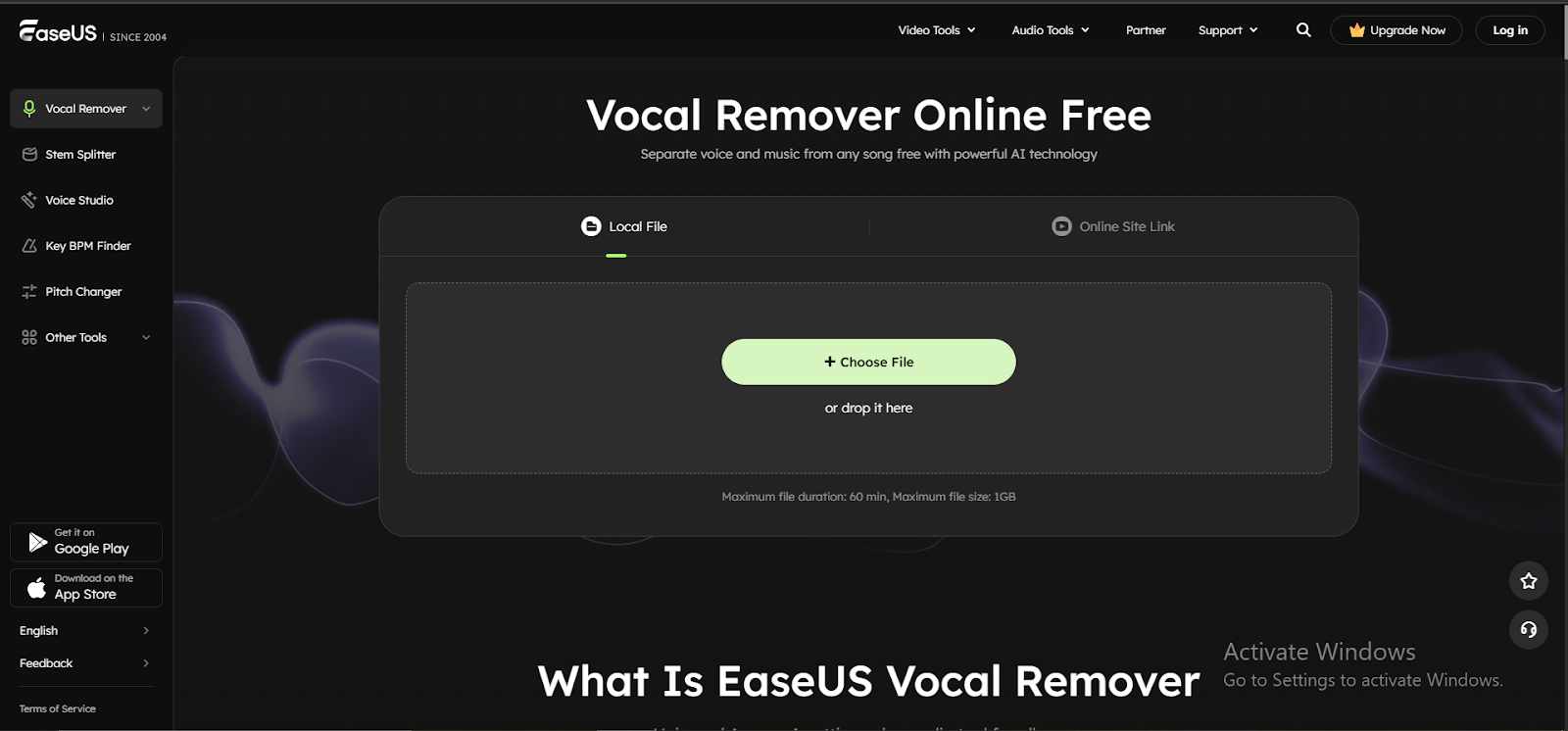 Step 3. Process the file with AI vocal separation
Once uploaded, the AI engine automatically identifies and separates vocals from the background music in a matter of seconds.
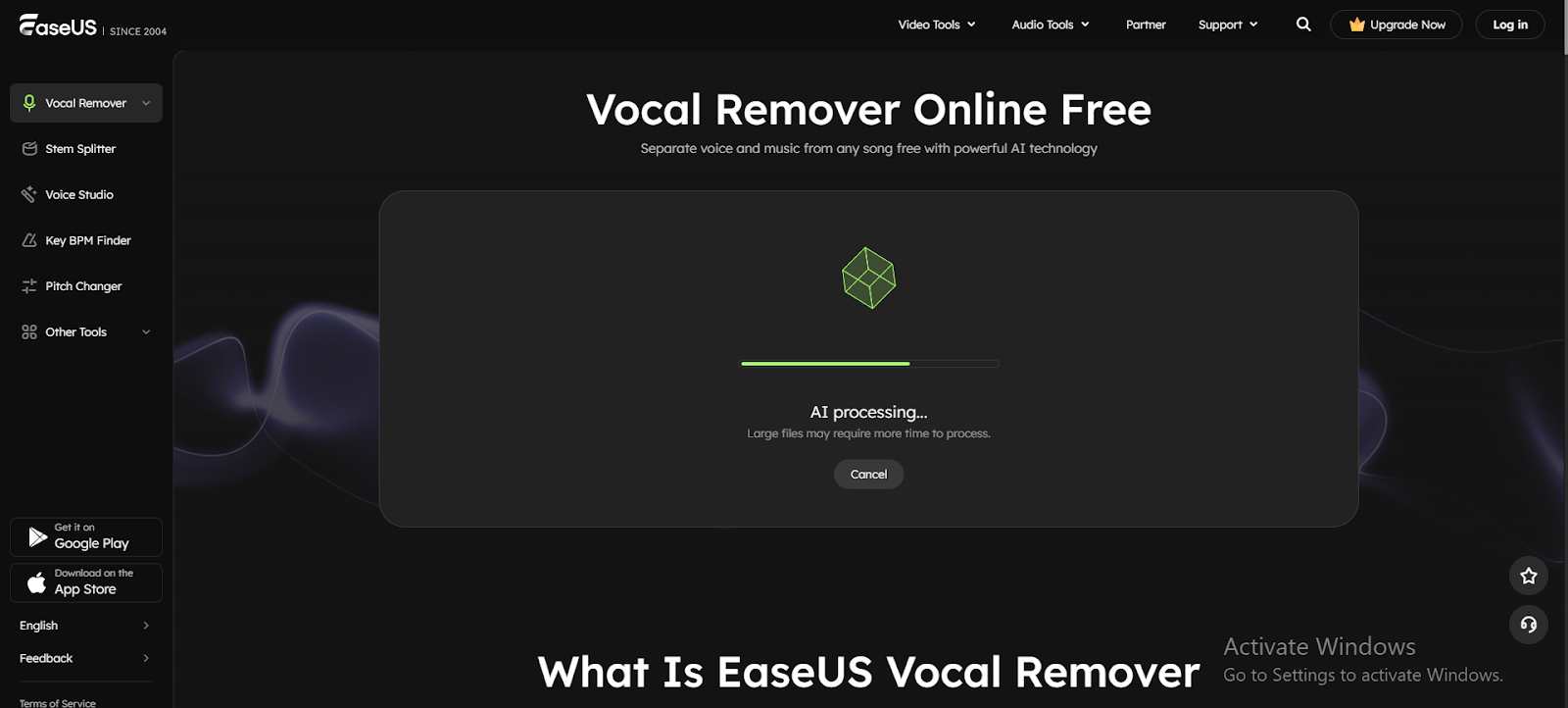 Step 4. Preview and download the output
Review the extracted instrumental or karaoke track, then click “Download” to save it to your device for immediate use.
Fix 2: Separate Vocals from YouTube Link via MazMazika
MazMazika is an online platform, simple and free to use, that allows you to take out the vocals from any tune, even if it is a YouTube or SoundCloud link, without the need for software installation. The system is based on highly advanced artificial intelligence that can separate an audio track into several parts — vocals, drums, bass, piano, etc. Thus, you get more than just a karaoke track, an acapella version, or remix stems. Alongside the vocal removal functionality, MazMazika also provides a Chord Analyzer tool and music resources, which makes it a great option for singers, producers and music enthusiasts alike.
Supporting MP3 and WAV formats, it can break audio into multiple stems—such as vocals, bass, piano, and more—allowing you to extract 2, 4, or 5 stems depending on your needs.
Key features of MazMazika:
- URL-based vocal removal: Remove the vocals from YouTube and SoundCloud tracks just by their links
- Multi-stem extraction: Divide the music track into 2, 4, or 5 stems, including vocals, bass, piano, and other instruments.
- Format support: Accepts MP3 and WAV files for flexible output
- Fast and accurate AI processing: The program leverages Artificial Intelligence, incapable of mistakes and works fast when separating vocals and instruments.
Steps to separate vocals from a YouTube link using MazMazika
Step 1. Open MazMazika and add the YouTube link
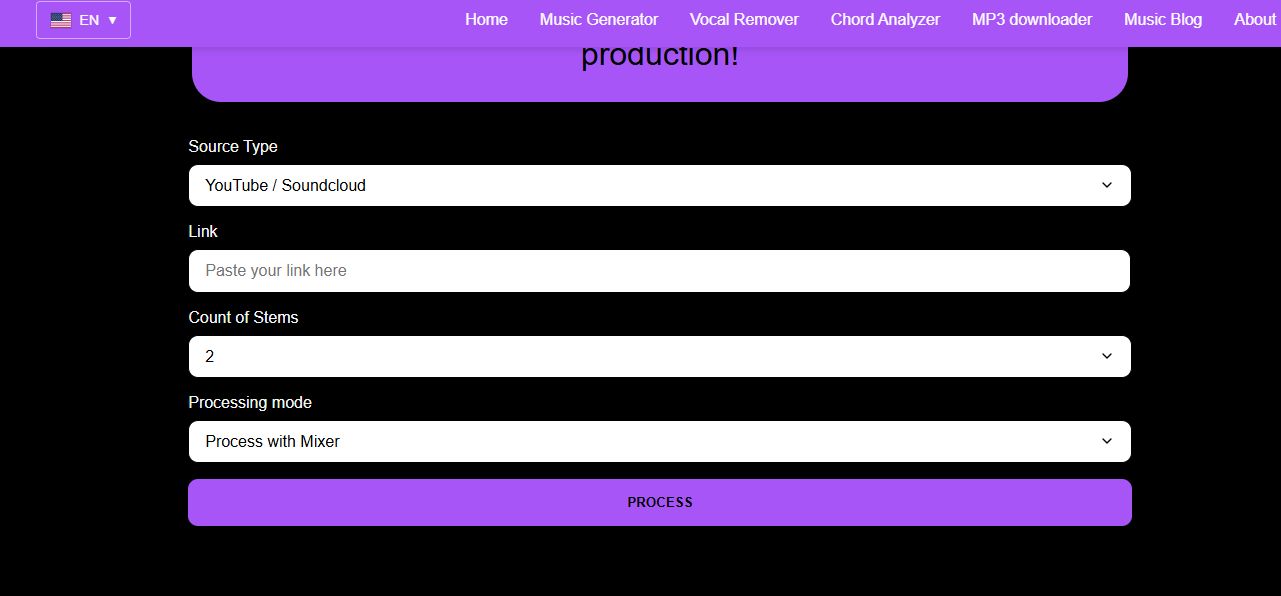
Go to the official MazMazika Vocal Remover website and insert the YouTube video URL into the input bar.
Step 2. Select the number of stems
Decide on stereo two, four, or five stems to be split. More stems will give you a clearer separation of vocals, instruments, percussion, and other elements.
Step 3. Process and download
Press the “Process” button to enable AI audio separation. When finished, download the ZIP file with all the extracted stems for karaoke, remixing, or music production.
Fix 3: Extract Vocals from YouTube Link via Kapwing
Kapwing is an extremely capable, web-based audio and video editing software that helps you to remove or extract vocals from any YouTube link or file uploaded on your device within a short time. The Split Vocals feature of the tool employs the latest set of AI algorithms to differentiate human voices and instrumentals, thus providing you with two different tracks separated by studio-grade quality.
This lets you produce karaoke tracks, remixes, podcast beds, intros/outros, faceless video audio, and jingles effortlessly. Kapwing remains 100% online, supports MP3, MP4, and other widely used formats, and is free of any software installation. Its intuitive interface is excellent for musicians, content creators, marketers, and educators who aim at professional-grade audio manipulation but without the high price or lengthy learning curve of the tools.
Key features of Kapwing Vocal Remover / Split Vocals:
- AI-based vocal separation: Separates vocals from music or other audio elements with one click.
- YouTube and link support: Get vocals from YouTube, Instagram, TikTok, and other sites without downloading.
- Supports different formats: Can play and edit MP3, MP4, and other popular audio/video formats.
- Processing right in the browser: It’s cloud-based, so you can run it from any device without installing.
- Professional-quality output: Used in remixes, karaoke, podcast episodes, ads, and music e-learning materials.
- Advanced editing toolkit: Remove distracting sounds, add exciting effects, change the pace of your songs, and create loops.
Step-by-step guide on how to remove vocals from a YouTube link via Kapwing
Step 1. Visit the official Kapwing website and tap “Choose Files”. Next, paste the YouTube video link into the box, and the audio will be automatically uploaded for processing.
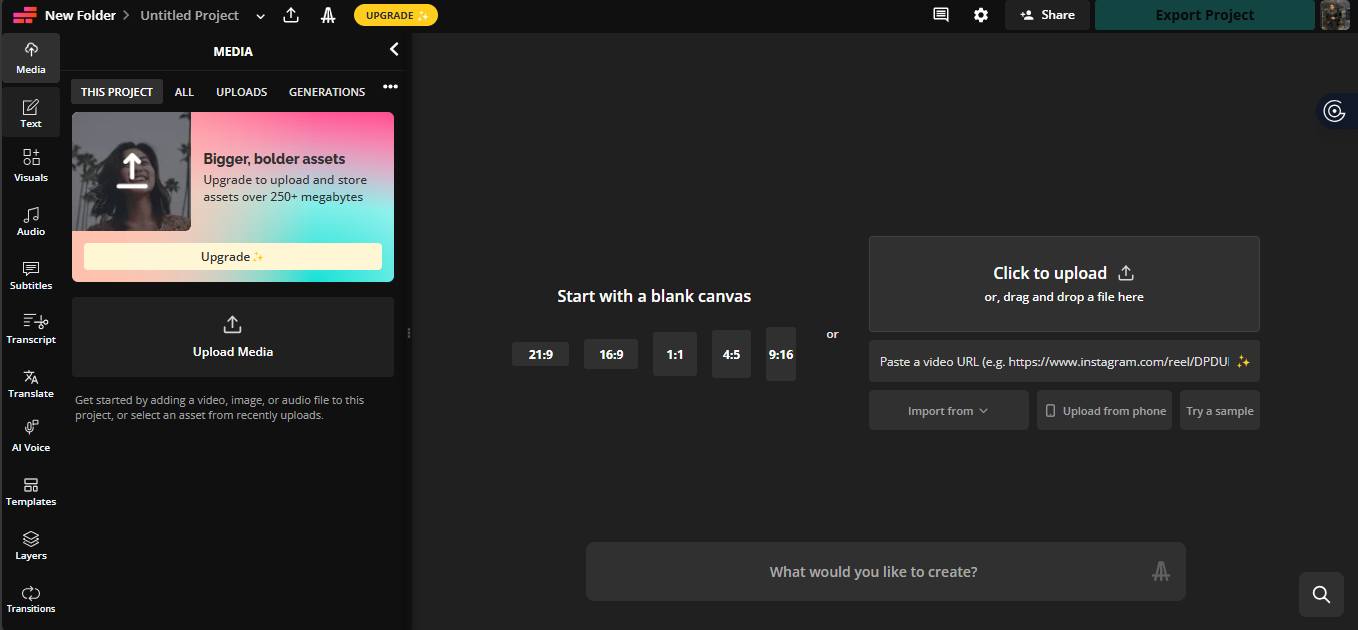 Step 2. You will be taken to an editing interface. Here, choose the “Split Vocals” option from the right-hand side toolbar. The AI will then separate the vocal track from the instrumental.
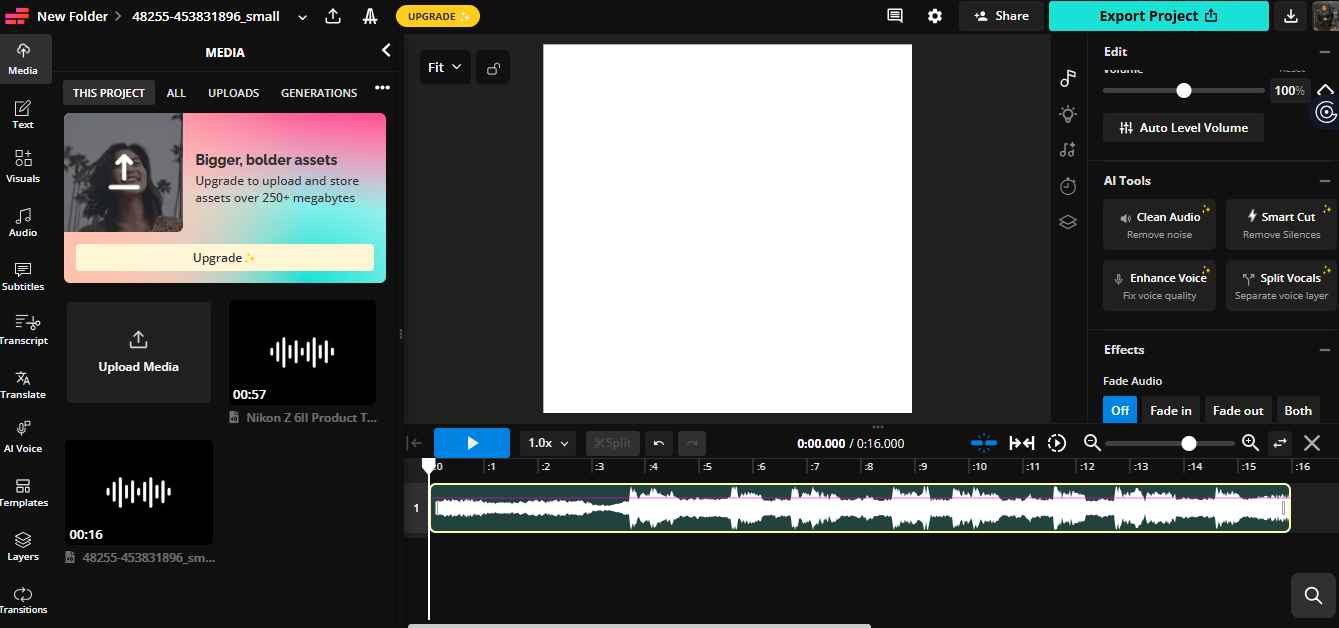 Step 3. When the AI is done, you may save your device the video or audio with the removed vocals directly. You can now utilize it for karaoke, remixes, podcasts, or any other creative projects.
Conclusion
Removing vocals from YouTube links is very easy, and anyone can do it with the help of AI-based tools. You may be interested in a fast and high-quality tool that is EaseUS Online Vocal Remover, or maybe free multi-stem separation is what you need at MazMazika, or even professional-grade vocal splitting and editing at Kapwing; anyway, all these tools will serve your karaoke, remixes, podcasts, or whatever you are up to perfectly.
Aside from all other trade-offs, the safety and convenience with which one can get a clear instrumental track from raw music without any complex setup is what makes the cloud-based and user-friendly EaseUS Online Vocal Remover the perfect tool for creators and musicians.
FAQs about removing vocals from a YouTube link
Q1. Is it possible to remove music directly from a YouTube link?
Yes, you can. AI-powered software like EaseUS Online Vocal Remover will just require you to enter the URL of the YouTube video, and the AI will automatically separate the vocals from the music, delivering the instrumental or vocal-only tracks in a matter of minutes.
Q2. Are these applications able to handle any kind of music?
Generally, songs of all genres, like pop, electronic, and acoustic, are compatible with the tools. On the other hand, problems may arise if the song is extremely complex with layered instruments or is heavily affected by effects, which will not separate perfectly. However, EaseUS utilizes state-of-the-art AI technology to achieve the highest possible vocal clarity and to minimize audio leakage.
Q3. Are there any restrictions regarding the files or devices?
EaseUS is compatible with common file types such as MP3, WAV, and MP4, operates directly from your browser, and permits processing of large files up to 1GB or 60 minutes. Hence, it is handy for desktops, laptops, and even mobile devices without the need for any software installation.